An editorial assessment of documented capabilities and ownership trade-offs. This is not a hands-on test result or a measurement of reliability.
Features & capability 30%8.8
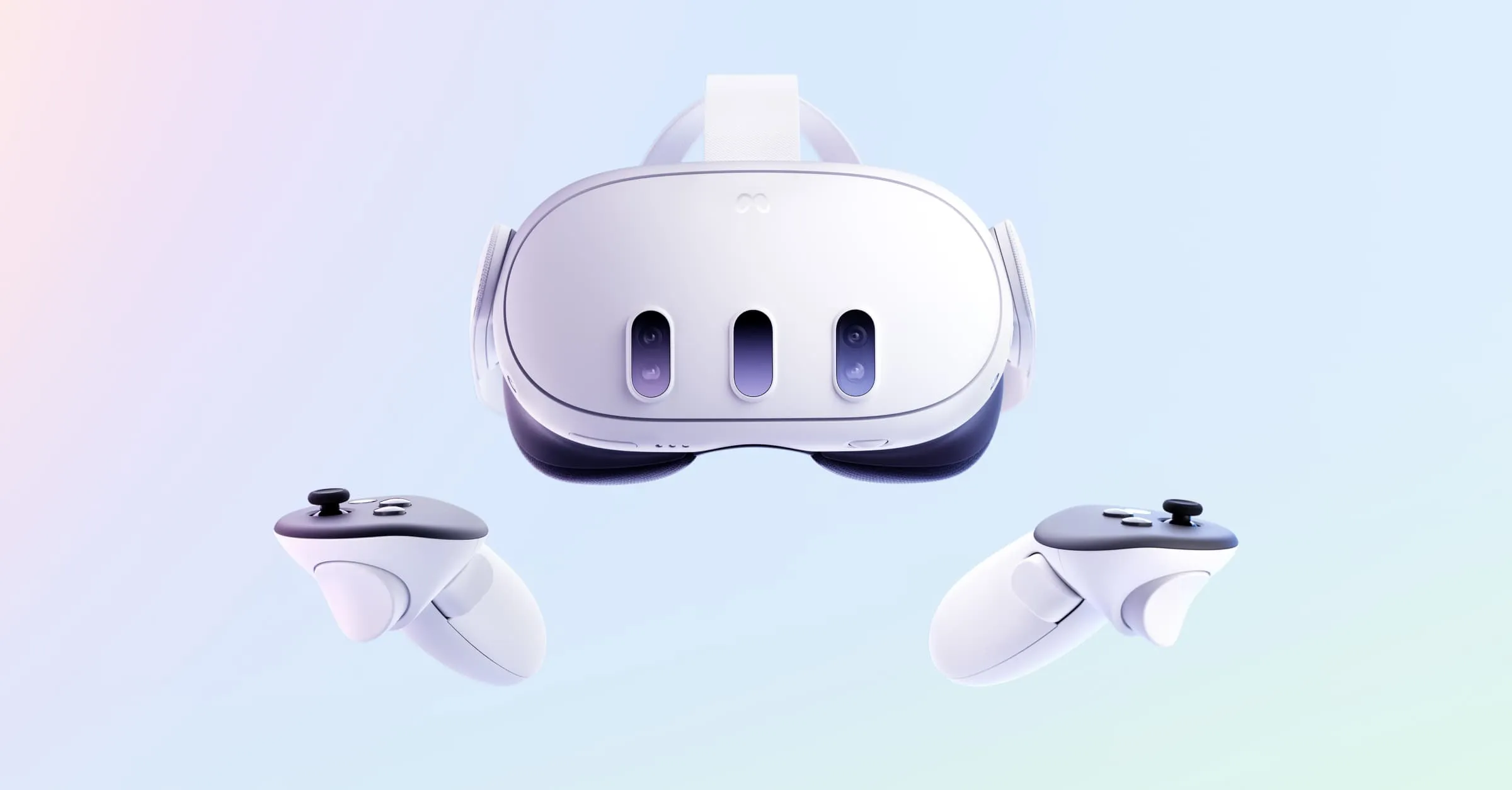
The headset combines standalone VR, mixed reality, pancake optics and a current XR platform, although comfort and app quality vary.
Compatibility & connectivity 20%8.1
Wi-Fi, PC VR and a growing Quest library are useful, but the experience is tied to Meta accounts and platform policies.
Ownership & upkeep 20%7.5
No cable is required for ordinary use, yet the battery, facial interface and controllers are consumable ownership points.
Setup & everyday use 15%8.0
Room setup and boundary tools are approachable; a first session still needs space, lighting and a willingness to learn.
Documentation & support clarity 15%7.9
Meta documents hardware and safety guidance, while app support, privacy controls and future platform changes need periodic review.
Compare scores within the same product category. Small decimal differences should not override your needs or the evidence limits.
How the Standpoint Score works
We score five aspects of the documented product on a 0–10 scale, then calculate a weighted total:
- Features & capability30% of the total
- Compatibility & connectivity20% of the total
- Ownership & upkeep20% of the total
- Setup & everyday use15% of the total
- Documentation & support clarity15% of the total
This product’s 8.1/10 is a provisional research assessment. It does not claim measured performance, tested reliability or a verified customer satisfaction rate. Compare it with products in the same category, and read each criterion’s reasoning above.
Read the full rubric and score bands ↗The ownership case.
Quest 3 is the most approachable current standalone mixed-reality platform in this group, but its value depends on tolerating a face-mounted computer and platform commitments.
Reasons to consider it
- Pancake lenses and higher-resolution display than Quest 2
- Colour passthrough and depth sensing for mixed reality
- Standalone Snapdragon XR2 Gen 2 platform with PC VR option
Go in knowing
- Headset weight and facial comfort remain personal
- Battery life is short for long sessions
- Meta account, privacy and room-scanning choices deserve attention
The specification sheet.
Published specifications from the linked sources. Configurations and availability can differ by country.
- Display
- Two LCD panels; 2064 × 2208 pixels per eye
- Optics
- Pancake lenses with adjustable eye relief
- Processor
- Qualcomm Snapdragon XR2 Gen 2
- Tracking
- Inside-out tracking; Touch Plus controllers; depth sensor
- Storage
- 128 GB or 512 GB configurations
Pancake lenses make the view easier to use
Quest 3 replaces the older Fresnel-style optical experience with pancake lenses and two higher-resolution LCD panels. The practical benefit is a larger usable area where text and objects remain clear when the eyes move, rather than requiring the wearer to hold every detail in a small central sweet spot. That does not remove blur, glare or the need for correct fit. We have not measured lens clarity or compared every prescription insert. A buyer who reads menus, explores mixed-reality apps or moves between tasks should treat optical comfort as a primary question, not a footnote to processor specifications.
The 2064 × 2208 pixels per eye specification describes the panel, not the resolution of every rendered scene. A demanding application may use dynamic resolution, and the visual result also depends on IPD adjustment, facial interface position and the wearer's eyes. Try the exact interface and lens setting if possible. Glasses, eyelashes and lighting can change the experience. Quest 3 is a clear step forward in optical design, but “higher resolution” does not make every headset equally comfortable for every face.
Passthrough is useful when it solves a room problem
Quest 3's colour passthrough and depth sensor allow virtual elements to sit in a view of the physical room. That can turn a boundary, desk or sofa into part of a game, and it makes setup less isolating than a completely opaque headset. The camera view is still a mediated representation with its own noise, exposure and latency. We have not evaluated passthrough in a particular home or measured scene reconstruction. Good lighting and a clear floor remain sensible requirements even when the device can map more of the room automatically.
Mixed reality is most convincing when it respects the objects and habits already in the room. A fitness app that places targets safely around a clear floor has a different risk profile from one that encourages fast movement near a table. Set the boundary conservatively, remove obstacles and keep people and pets away from an active session. The depth sensor helps; it is not a guardian that understands every glass tabletop or low object. The product invites more applications than a sealed VR screen, which makes room preparation more important, not less.
Standalone power changes the threshold for trying VR
The Snapdragon XR2 Gen 2 platform gives Quest 3 enough standalone capability for more detailed games and mixed-reality scenes than Quest 2. That matters because a headset that launches an experience directly is easier to share and less dependent on a gaming PC. The library still defines the result: one title can feel polished and comfortable while another has small text, artificial locomotion or a busy menu. We have not benchmarked frame rate or graphics settings. Choose software by comfort and interest, not by a promise that the headset renders every future game at the same quality.
PC VR remains an option over a suitable wireless or wired link. That expands the catalogue but adds a network or cable dependency and a second device whose compatibility must be considered. Test the home router, room layout and PC hardware before treating PC VR as a guaranteed bonus. Standalone games are the foundation of the product, while PC VR is a valuable extension. A good purchase is one that remains enjoyable if the computer is unavailable and improves when the rest of the setup is ready.
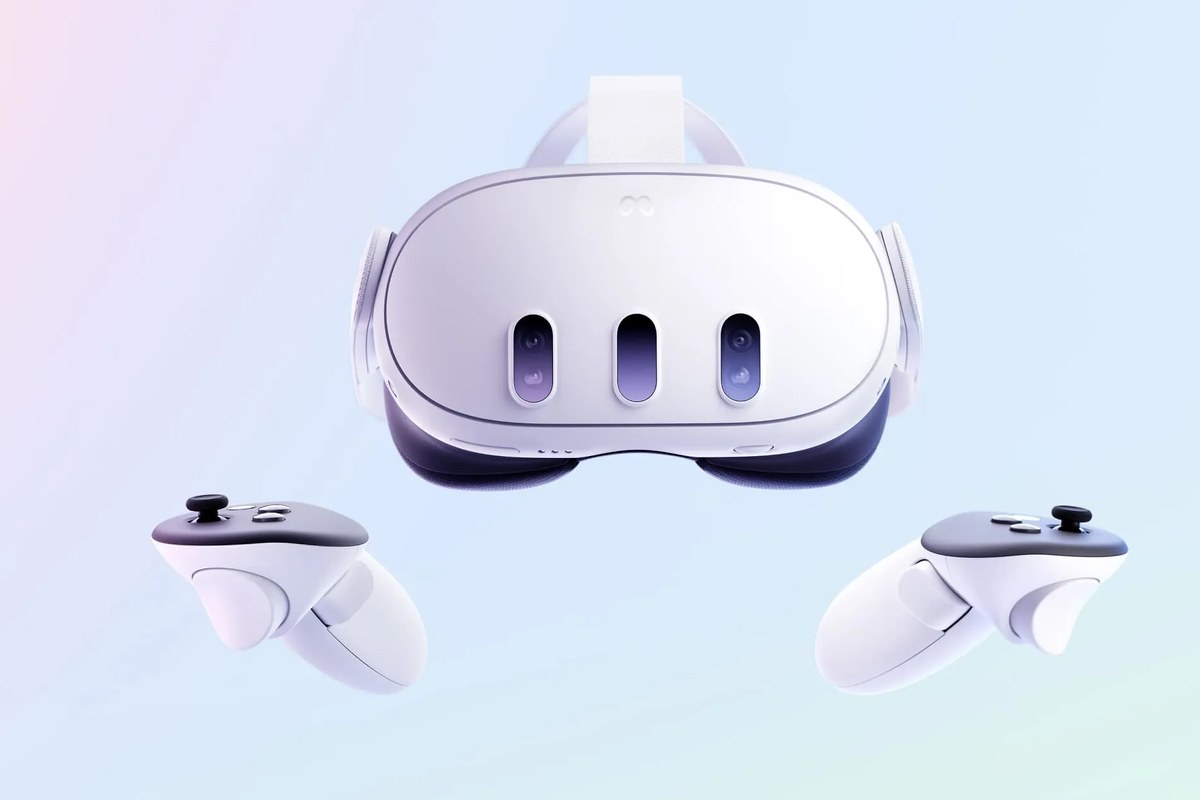
The two limits you feel first are weight and time
Quest 3 is a front-heavy object with a facial interface and strap system that must hold the lenses in the right place. The included strap can work for short sessions, but comfort differs with head shape, hair, glasses and movement. We have not measured pressure or tested third-party straps. If the headset will be used for fitness or long exploration, budget for a support solution only after confirming the return policy. A clearer lens cannot compensate for a headset that is repeatedly removed because the fit becomes uncomfortable.
Battery life varies with brightness, mixed-reality cameras, wireless activity and the application. It is sufficient for an intentional session, not an entire day of continuous use. Keep the USB-C charger accessible and plan what happens when the headset reaches a low state in the middle of a shared activity. An external battery can improve the schedule but adds weight and a cable. We have not measured a controlled runtime. The product is best understood as a session device whose battery encourages breaks, rather than as a television that can run indefinitely.
Touch Plus and hand tracking suit different moments
The Touch Plus controllers reduce the bulk of a traditional tracking ring and provide physical inputs that many games still use. Hand tracking can make menus and casual interactions feel more natural, but it is not a universal replacement for a controller when a game needs reliable buttons, fast movement or a clear grip. Keep the controllers charged and inspect the wrist straps. We have not tested tracking across every lighting condition. The best experience switches deliberately between hands and controllers instead of treating the latter as an obsolete accessory.
A household sharing the headset should make room for different hand sizes and hygiene routines. Facial interfaces contact the wearer, and the headset should be cleaned according to the manufacturer instructions rather than with a random solvent. Review accessibility options for height, seated play and controller-free input. Those settings can determine whether another person can use the headset comfortably. A mixed-reality product is easier to share when the room, software account and physical fit have been planned as carefully as the game library.
Room mapping and accounts deserve a deliberate setup
Quest 3 uses cameras and room understanding to track movement and place experiences. Review what information is stored locally, what reaches Meta services and how shared spaces are handled. We have not audited the platform or inferred data practices from the presence of a privacy menu. People who are sensitive to cameras should understand the physical indicators, permissions and account choices before bringing the headset into private rooms. A headset can be fun and still deserve the same thoughtful setup as a phone with a camera and microphone.
Account recovery, app purchases and parental controls should be established before a household begins sharing. Confirm which profiles keep saves and settings separate, and keep payment methods protected. Platform requirements can change, so recheck the current policy rather than relying on an old setup guide. The convenience of a standalone library depends on a service that continues to authenticate and distribute it. That is a normal modern-device trade-off, but the owner should choose it knowingly.
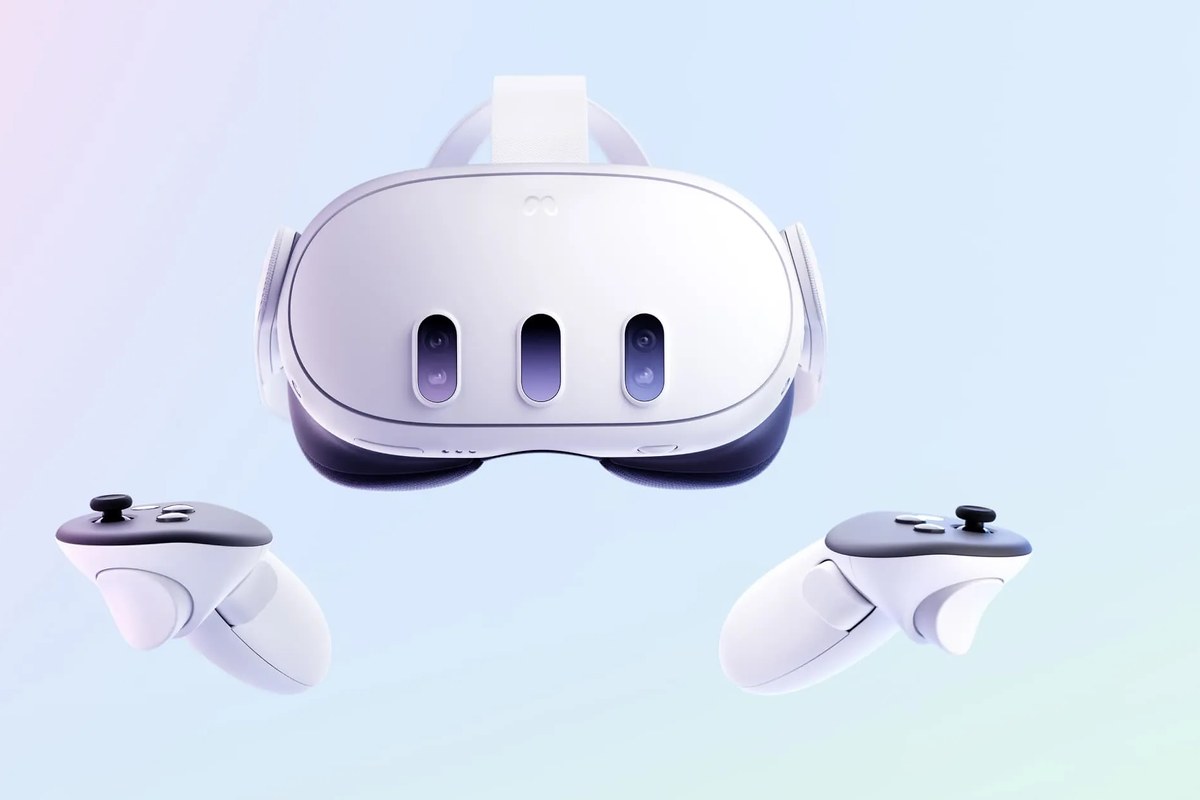
Quest 3 works best when the room is part of the plan
Quest 3 is a strong research shortlist choice for someone who wants to try VR and mixed reality without first building a gaming PC. It is less suitable if the intended space is cramped, if the buyer cannot tolerate a front-heavy headset or if long unattended battery life is essential. Compare the cost of the storage tier, strap, prescription inserts and any battery accessory, then consider whether the household has a place where the headset can be stored clean and charged.
A meaningful trial would compare seated and standing play, test text in the intended apps, measure a normal session before recharge and examine passthrough in the actual room. We have not conducted those tests. The headset earns its score through a thoughtful optical and tracking package, while comfort, account dependence and a short battery keep the decision personal. It is an inviting doorway into spatial computing, not a substitute for deciding what you want to do in that space.
Protect the headset by protecting the routine
Keep the lenses away from direct sunlight, store the headset with the facial interface clean and use the boundary tools every time the room changes. Charge before a planned session, update the headset and controllers when convenient, and keep a safe surface clear for the person who may remove it unexpectedly. Do not let pets chew the strap or controllers. If buying used, confirm a factory reset, account removal, lens condition and the ability to pair the controllers before the return period expires.
Meta Quest 3 is a convincing standalone mixed-reality headset because its optics, cameras and processor reduce the friction of getting into an experience. The score stays below the top tier because comfort, runtime, privacy and software support remain individual and service-dependent. The published specifications are a useful starting point, not a substitute for a room and face that fit them. A careful owner can get a great deal of spatial play from the platform while keeping its limits visible.
Sources & further reading.
These are the sources behind this research review. Manufacturer claims are not independent performance measurements. Community accounts, when cited, describe individual experiences.
- Meta Quest 3 — official product page ↗manufacturer
- Meta developer comparison: Quest 3 hardware specifications ↗manufacturer
- Meta: responsible innovation and Quest privacy controls ↗manufacturer
Documentation reviewed: 9 October 2026. Product software and regional bundles can change. Corrections and editorial disclosures.