An editorial assessment of documented capabilities and ownership trade-offs. This is not a hands-on test result or a measurement of reliability.
Features & capability 30%6.8
The Intel and discrete-graphics configurations can support defined legacy work, with a narrower current general-purpose case.
Compatibility & connectivity 20%7.7
Four Thunderbolt ports and documented multi-display options offer useful compatibility.
Ownership & upkeep 20%5.4
Age, battery service and configuration-specific repair economics deserve substantial weight.
Setup & everyday use 15%6.8
A large screen and Magic Keyboard support work, balanced by a heavy format and Touch Bar preference.
Documentation & support clarity 15%8.8
Apple retains detailed configuration and current model-identification compatibility information.
Compare scores within the same product category. Small decimal differences should not override your needs or the evidence limits.
How the Standpoint Score works
We score five aspects of the documented product on a 0–10 scale, then calculate a weighted total:
- Features & capability30% of the total
- Compatibility & connectivity20% of the total
- Ownership & upkeep20% of the total
- Setup & everyday use15% of the total
- Documentation & support clarity15% of the total
This product’s 7.0/10 is a provisional research assessment. It does not claim measured performance, tested reliability or a verified customer satisfaction rate. Compare it with products in the same category, and read each criterion’s reasoning above.
Read the full rubric and score bands ↗The ownership case.
A specialist used purchase for a documented Intel or peripheral requirement. General buyers should compare Apple-silicon alternatives before accepting its age, carrying burden and possible maintenance costs.
Reasons to consider it
- Large built-in work area
- Four Thunderbolt 3 ports
- Configuration options for specific Intel-era software needs
Go in knowing
- Exact CPU, GPU and memory vary considerably
- Older architecture and support horizon limit a general recommendation
- Battery, cooling system and Touch Bar need inspection
The specification sheet.
Published specifications from the linked sources. Configurations and availability can differ by country.
- Processors
- Six-core Core i7 or eight-core Core i9 configurations
- Display
- 16-inch IPS; 3072 × 1920
- Memory
- 16, 32 or 64 GB onboard DDR4
- Graphics
- AMD Radeon Pro 5300M, 5500M or 5600M options
- Ports
- Four Thunderbolt 3 USB-C ports; headphone jack
- Weight
- 2.0 kg
- Listed newest compatible OS
- macOS Tahoe 26 in Apple's model guide at verification
A legacy requirement should lead the purchase
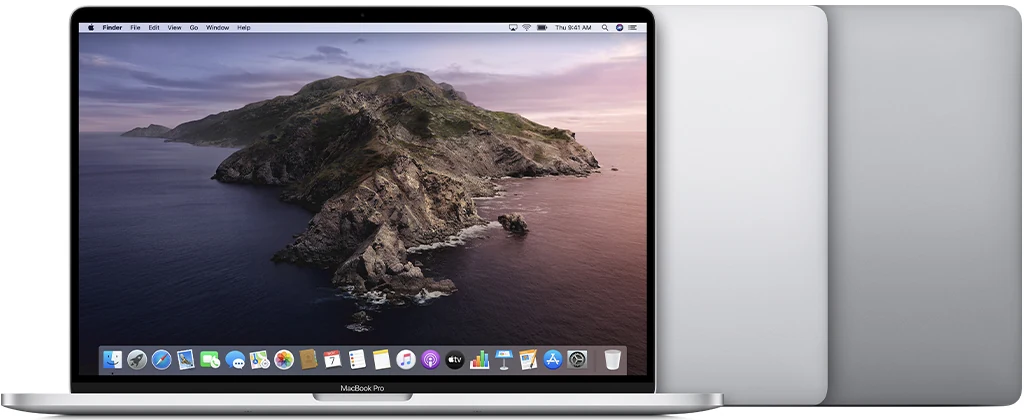
The 2019 16-inch Intel MacBook Pro is best considered when the buyer can name a software or peripheral reason to remain on Intel. That reason should be verified with the relevant vendor and actual workflow. It is not enough to assume that all old software behaves better on an old computer, or that a former flagship must be preferable to a newer ordinary laptop. Compatibility is specific to applications, versions and connected equipment.
For general work, Apple-silicon alternatives belong in the comparison. This review evaluates the documented Intel configuration range and the implications of buying it now. We have not benchmarked exports, measured noise or tested a seller's refurbished example. The question is whether a clearly defined task justifies the machine's age, physical size and potential maintenance, rather than whether the old specification still looks impressive in isolation.
The exact CPU and GPU matter
The original range includes different Core i7 and Core i9 processors, alongside several Radeon Pro graphics options. A short listing may omit those distinctions or emphasize only the most flattering component. Inspect the machine information and verify the installed graphics memory, system memory and storage. Two computers with the same year and screen size may be quite different propositions for a particular project.
Do not assume that the highest processor suffix solves every problem. Application compatibility, memory capacity, GPU requirements and battery condition may carry more practical weight. Run representative work during the return period and inspect the output, not just the launch screen. Our score does not translate core counts into a promised completion time. It recognizes that this hardware can serve a defined role while requiring evidence that the actual configuration and software combination meet the owner's expectations.
The software horizon deserves an explicit check
At verification, Apple's identification guide lists macOS Tahoe 26 as the newest compatible system for this model. That is useful current information, but it does not guarantee future operating-system releases or indefinite support from application developers. Check the requirements of the software that matters, including plug-ins, organizational security tools and peripheral drivers. A main application working does not establish that every component around it remains supported.
If the intended role is a legacy setup, document the exact versions and file formats that must be retained. Consider how files will be exchanged with collaborators using newer systems. A workflow can remain useful while becoming less convenient to integrate with others. The buying decision should account for that horizon rather than treating compatibility today as a promise about every future project. Keep the current support facts separate from assumptions about what may arrive later.
A large screen changes work and carrying
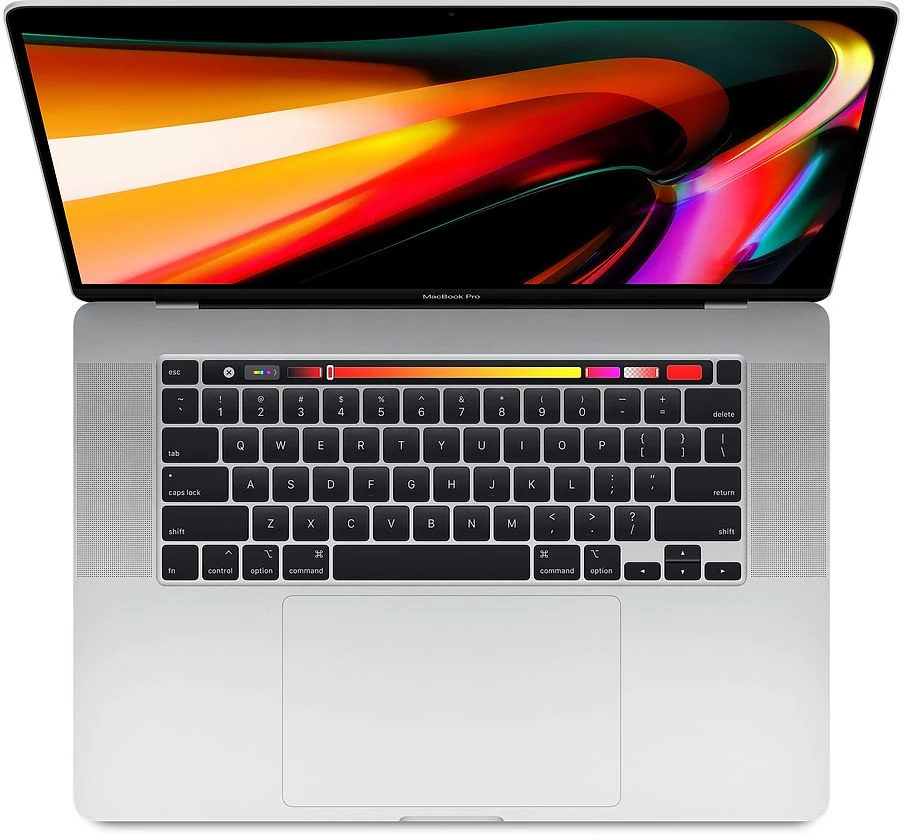
The 16-inch display provides a broad built-in area for documents, timelines or multiple panels. That can be valuable away from a desk, particularly when an external monitor is unavailable. Try the actual software layout at a comfortable text size. Screen area is useful when it reduces scrolling or window switching; it is less persuasive if the laptop will usually remain closed beside a large monitor.
The listed two-kilogram body is only part of the carrying load. Include the charger, cables and any storage devices when deciding whether the format suits travel. Inspect the panel for coating damage, pressure marks and uneven illumination, and test the hinge. A large premium screen is a substantial reason to choose this machine and a substantial concern if damaged. Cosmetic wear on the enclosure should not distract from the condition of the surface used for every hour of work.
Memory and storage should already fit
Apple specifies onboard memory with several original capacities. Treat the installed amount as a purchase decision and match it to the complete working set. Include browser services, communication tools and background applications alongside the main creative or technical task. An older workstation should not require continually closing necessary tools simply because the seller's chosen configuration was inexpensive.
Storage planning should include project sources, temporary work, caches and a backup routine. A large internal drive may simplify a legacy setup, but it does not eliminate the need for another copy of important material. External storage adds equipment and a connection, so test that arrangement if it is part of the intended use. Compare equivalent usable configurations rather than allowing a high-end CPU to make a cramped machine appear better suited than it really is.
Four Thunderbolt ports offer useful flexibility
The four Thunderbolt 3 USB-C ports give this model a flexible set of direct connections for compatible equipment. That can matter in a workstation with displays, drives and audio hardware. The ports do not remove the need to understand a dock or adapter's requirements, and the supported display arrangements still have stated limits. Map the actual desk setup before purchasing accessories.
Test charging and data through each relevant port, then try the intended external display combination. Check waking and reconnecting, not just the initial picture. A machine used as the centre of a legacy setup should have reliable connections because intermittent behavior can be difficult to diagnose across older devices and software. Include the correct power supply in the cost comparison. A bare laptop is not necessarily cheaper once the equipment needed to make the existing workflow dependable is added.
Cooling, controls and battery deserve a real session
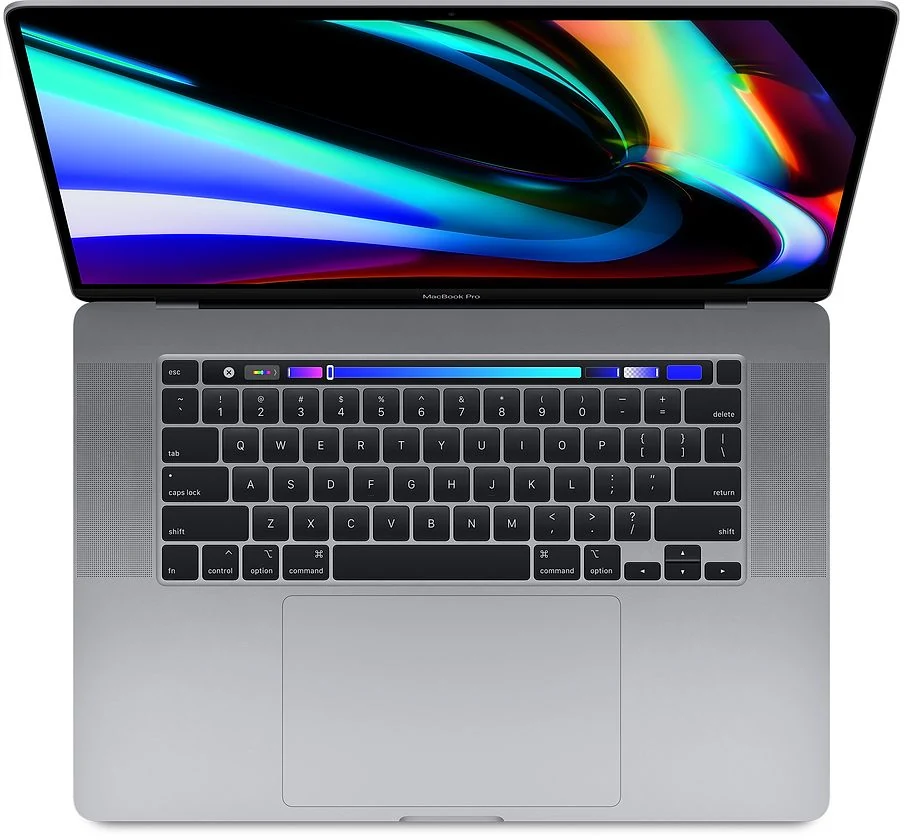
The Touch Bar, keyboard and trackpad should be inspected as thoroughly as the screen. Test common shortcuts and every key, check the touch strip across its length and verify Touch ID. Listen for unusual mechanical noise during representative work and note instability or unexpected shutdowns. We have not measured normal thermal behavior, so a sensible inspection should distinguish routine cooling operation from clear faults rather than treating any fan activity as failure.
Ask for battery condition and service records. Original runtime claims do not describe a used battery years later, especially during demanding work. Obtain current repair quotations before accepting known issues. Complete normal setup after the seller removes personal and organizational control, and retain the invoice and return terms. A former professional computer may still be useful, but unresolved management restrictions or undocumented repairs should not quietly become part of the next owner's job.
A conditional tool for a specific remaining role
The Intel 16-inch Pro can justify its place when a verified legacy requirement, suitable configuration and healthy condition align. It is a much weaker default recommendation for someone who simply wants an inexpensive large MacBook. The architecture, software horizon and maintenance costs need to survive a comparison with Apple-silicon machines that can perform the actual work.
Our provisional assessment therefore gives credit for the documented screen, ports and configuration flexibility while discounting ownership uncertainty. We would want a representative project test, reliable connections, a clear battery situation and a credible return period before recommending an individual listing. Buy it because the exact machine meets a task that has been defined carefully. Its original flagship status is historical context, not evidence that an ageing example is the most practical computer to own today.
Sources & further reading.
These are the sources behind this research review. Manufacturer claims are not independent performance measurements. Community accounts, when cited, describe individual experiences.
- MacBook Pro (16-inch, 2019) - Technical Specifications - Apple Support ↗manufacturer
- Identify your MacBook Pro model — operating-system compatibility ↗manufacturer
Documentation reviewed: 9 October 2026. Product software and regional bundles can change. Corrections and editorial disclosures.