An editorial assessment of documented capabilities and ownership trade-offs. This is not a hands-on test result or a measurement of reliability.
Features & capability 30%5.6
The documented Intel configurations suit limited workloads but offer a weaker general-purpose starting point.
Compatibility & connectivity 20%6.8
Thunderbolt 3 and multiple-display support are useful for compatible peripherals.
Ownership & upkeep 20%5.1
An older software ceiling, battery age and fixed purchase configuration narrow the value proposition.
Setup & everyday use 15%6.8
The conventional keyboard and trackpad are familiar, with limited room for demanding tasks.
Documentation & support clarity 15%8.6
Apple clearly identifies the Intel model and its newest compatible operating system.
Compare scores within the same product category. Small decimal differences should not override your needs or the evidence limits.
How the Standpoint Score works
We score five aspects of the documented product on a 0–10 scale, then calculate a weighted total:
- Features & capability30% of the total
- Compatibility & connectivity20% of the total
- Ownership & upkeep20% of the total
- Setup & everyday use15% of the total
- Documentation & support clarity15% of the total
This product’s 6.4/10 is a provisional research assessment. It does not claim measured performance, tested reliability or a verified customer satisfaction rate. Compare it with products in the same category, and read each criterion’s reasoning above.
Read the full rubric and score bands ↗The ownership case.
A narrow used purchase for a documented Intel requirement or a very modest workload. Most general buyers should compare an M1 Air before spending on this older architecture.
Reasons to consider it
- Magic Keyboard and familiar wedge body
- Documented support for two external 4K displays at 60 Hz
- Intel platform may serve a specific validated legacy need
Go in knowing
- Same-year M1 Air is a fundamentally different machine
- Current software ceiling limits the long-term case
- Low-memory and dual-core configurations need careful workload matching
The specification sheet.
Published specifications from the linked sources. Configurations and availability can differ by country.
- Processor options
- Intel Core i3, i5 or i7; exact configuration matters
- Display
- 13.3-inch IPS; 2560 × 1600
- Memory
- 8 or 16 GB onboard LPDDR4X
- Storage
- 256 GB to 2 TB SSD configurations
- Ports
- Two Thunderbolt 3 USB-C ports; headphone jack
- Weight
- 1.29 kg
- Listed newest compatible OS
- macOS Sequoia in Apple's model-identification guide at verification
The year alone is not enough identification
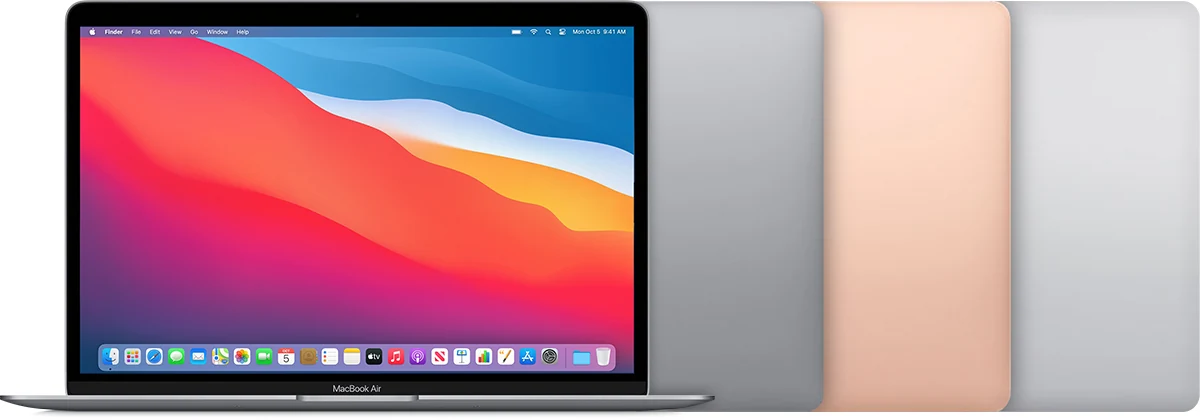
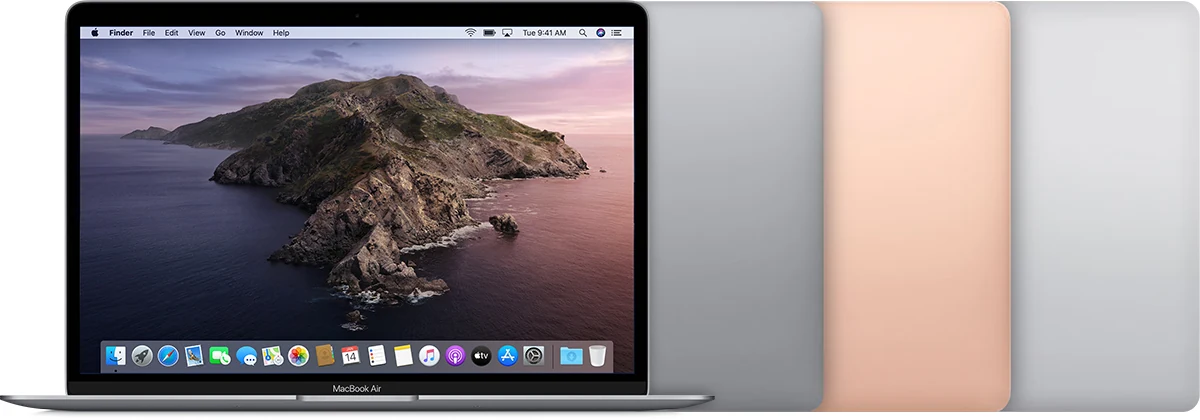
A listing that says 2020 MacBook Air leaves out the most important distinction. Apple sold both this Intel-based design and the later M1 model in that year. They should not be treated as equivalent machines with a minor processor option. Before comparing prices, inspect the model information and establish exactly which architecture, processor, memory and storage are present. A photograph of the familiar wedge-shaped body does not settle those questions.
The Intel Air has a defensible role when a buyer can identify a software or peripheral requirement that specifically favors it. That requirement should be verified, not assumed from an old habit. For ordinary study or office work, an M1 Air belongs in the comparison. Our assessment focuses on the documented configurations and current ownership constraints, without inventing benchmark results or measurements of a particular used laptop.
The software ceiling changes the buying horizon
Apple's model-identification guide lists macOS Sequoia as the newest compatible operating system for this Intel model at the time checked. That is an important boundary for a purchase intended to last. It does not by itself say which of the buyer's applications work today, nor does it promise how long those applications will continue supporting that system. Check the vendor requirements for the exact tools needed.
Make a list that includes browser-dependent services, office software, specialist utilities and hardware drivers. A laptop that launches an old application may still be unsuitable for a connected work environment with stricter requirements. If the purpose is a defined offline or legacy task, document that purpose and the files it must handle. The narrow case can be reasonable; buying the machine as a generic inexpensive Mac without investigating its software horizon is much less convincing.
Processor labels hide meaningful configuration differences
The original range includes a dual-core Core i3 and quad-core i5 or i7 options. Those differences make it important to compare actual configurations rather than treating every Intel 2020 Air listing as identical. The top processor label should not automatically decide the purchase either. Memory, storage, battery health and the workload can be more important than a seller's emphasis on a premium suffix.
Test a representative task during the return period: open the documents, browser workload or specialist project that justified buying the computer. Observe whether the experience is comfortable over a realistic session. A brief boot demonstration cannot establish sustained responsiveness. We have not measured thermal behavior, fan noise or application performance, so our score does not convert an advertised clock speed into a promise about demanding work. The useful question is whether the actual machine handles the intended task acceptably.
Buy enough memory and storage at the outset
Apple specifies onboard memory, with 8 and 16 GB configurations. Treat the installed capacity as a purchasing decision rather than planning around an easy future upgrade. Check memory use on the current computer if one is available, and consider the combination of applications normally open together. A machine that can launch each program separately may still be uncomfortable when asked to run the normal working set.
Storage also needs a realistic inventory. Include project files, local photo libraries, application installations and room for updates. External storage can help, but it adds a device and a connection to carry. The lowest-capacity listing may therefore be poor value if it immediately creates an awkward daily arrangement. Compare computers capable of holding the intended workload, not just whichever configurations happen to produce the lowest price in a search result.
Display connectivity is a genuine distinction
The specifications describe support for up to two external 4K displays at 60 Hz, subject to the stated connection arrangement. That can be relevant to a desk setup, and it should be compared carefully with the native display limits of other Air generations. Count the monitors you actually need and identify their inputs, resolutions and refresh requirements before buying a dock or adapter.
The laptop has two Thunderbolt 3 USB-C ports, so power and peripherals compete for a small number of direct connections. Test the intended dock, display and charger together during the return period. A successful single-monitor demonstration is not proof that a complete workstation will behave as expected. The potential benefit is a useful desk configuration for compatible equipment; it is not a guarantee that every inexpensive hub can deliver every advertised display combination.
The keyboard and screen are the daily work surface
The Magic Keyboard, trackpad and 13.3-inch display deserve a practical inspection because they determine how comfortable modest work feels. Type a paragraph containing every key, test shortcuts and check the backlight. Look for inconsistent key response or signs of liquid exposure. Try the trackpad's click and gestures across its surface rather than only moving the pointer briefly.
Inspect the display on pale and dark backgrounds, adjust the viewing angle and check for damaged coating, bright marks or uneven illumination. The screen's resolution does not guarantee that an ageing panel remains pleasant to use. A 720p camera is documented, but the important question for calls is whether its output and the microphones meet the actual requirement. Test a short meeting or recording instead of assuming that any built-in camera is sufficient for regular professional communication.
Battery and ownership transfer can outweigh a discount
Ask for battery condition and service information, then compare any likely maintenance with a current repair quote. A lightweight laptop is much less useful if it must remain near a socket unexpectedly. Test charging through the available ports and inspect the power adapter. The original battery-life claims should not be applied to a used machine with an unknown history or a different application workload.
Require proper account removal and a clean normal setup. A previously managed business machine should be released from organizational control before purchase; do not accept a promise to resolve enrollment later. Check that the advertised storage and memory match the device information. Keep the return policy and invoice, and test sleep, waking and common peripherals. A low price is not a sufficient reason to inherit administrative restrictions or an unresolved hardware fault.
A specialist legacy purchase, not the default old Air
The Intel 2020 Air can be reasonable when a verified legacy requirement or specific compatible desk arrangement makes its features useful. That is a narrower recommendation than saying any inexpensive MacBook is a good student computer. The operating-system ceiling, configuration differences and service costs should all be part of the decision before the machine becomes responsible for important work.
Our provisional score reflects that limited current role. We would compare a healthy M1 Air whenever the workload permits it, with equal memory, storage and seller protection where possible. Choose the Intel machine only when the reason survives that comparison and the individual example passes inspection. The most successful older-computer purchase is one with a clear task and a credible remaining service plan, rather than one whose low price postpones a collection of predictable incompatibilities.
Sources & further reading.
These are the sources behind this research review. Manufacturer claims are not independent performance measurements. Community accounts, when cited, describe individual experiences.
- MacBook Air (Retina, 13-inch, 2020) - Technical Specifications - Apple Support ↗manufacturer
- Identify your MacBook Air model — operating-system compatibility ↗manufacturer
- Apple's March 2020 MacBook Air announcement ↗manufacturer
Documentation reviewed: 9 October 2026. Product software and regional bundles can change. Corrections and editorial disclosures.