An editorial assessment of documented capabilities and ownership trade-offs. This is not a hands-on test result or a measurement of reliability.
Features & capability 30%8.4
M4 and Pencil support provide a broad documented tablet toolkit; application scope determines usefulness.
Compatibility & connectivity 20%7.9
Connectivity and accessories cover several arrangements, with exact compatibility checks needed.
Ownership & upkeep 20%7.7
Keyboard, stylus, storage and subscriptions can materially change the complete purchase.
Setup & everyday use 15%8.0
Tablet interaction suits reading and annotation, while computer replacement can introduce workarounds.
Documentation & support clarity 15%8.6
Apple distinguishes sizes and accessories clearly; service experience has not been evaluated.
Compare scores within the same product category. Small decimal differences should not override your needs or the evidence limits.
How the Standpoint Score works
We score five aspects of the documented product on a 0–10 scale, then calculate a weighted total:
- Features & capability30% of the total
- Compatibility & connectivity20% of the total
- Ownership & upkeep20% of the total
- Setup & everyday use15% of the total
- Documentation & support clarity15% of the total
This product’s 8.1/10 is a provisional research assessment. It does not claim measured performance, tested reliability or a verified customer satisfaction rate. Compare it with products in the same category, and read each criterion’s reasoning above.
Read the full rubric and score bands ↗The ownership case.
A persuasive companion for reading, annotation and supported creative work; a laptop replacement only when the exact software and accessory workflow has been verified.
Reasons to consider it
- Two useful canvas sizes
- Documented Pencil options
- Broad creative hardware proposition
Go in knowing
- Accessories change the total cost and carrying weight
- iPadOS app capabilities need exact checks
- Cloud storage does not replace offline working space
The specification sheet.
Published specifications from the linked sources. Configurations and availability can differ by country.
- Sizes
- 11-inch or 13-inch
- Processor
- M4; 8-core CPU and 9-core GPU
- Memory
- 12 GB unified memory
- Display
- Laminated IPS Liquid Retina
- Stylus support
- Apple Pencil Pro or Apple Pencil USB-C
A tablet should earn its place beside a laptop
The iPad Air with M4 is most compelling when its tablet form solves a problem a conventional laptop handles awkwardly. Reading while standing, annotating a document, sketching and carrying a light screen around a workspace are sensible examples. Buying it as a laptop replacement is a more demanding decision. The exact applications, file workflow and input requirements must fit iPadOS. A powerful chip cannot remove an operating-system limitation or make an absent application available.
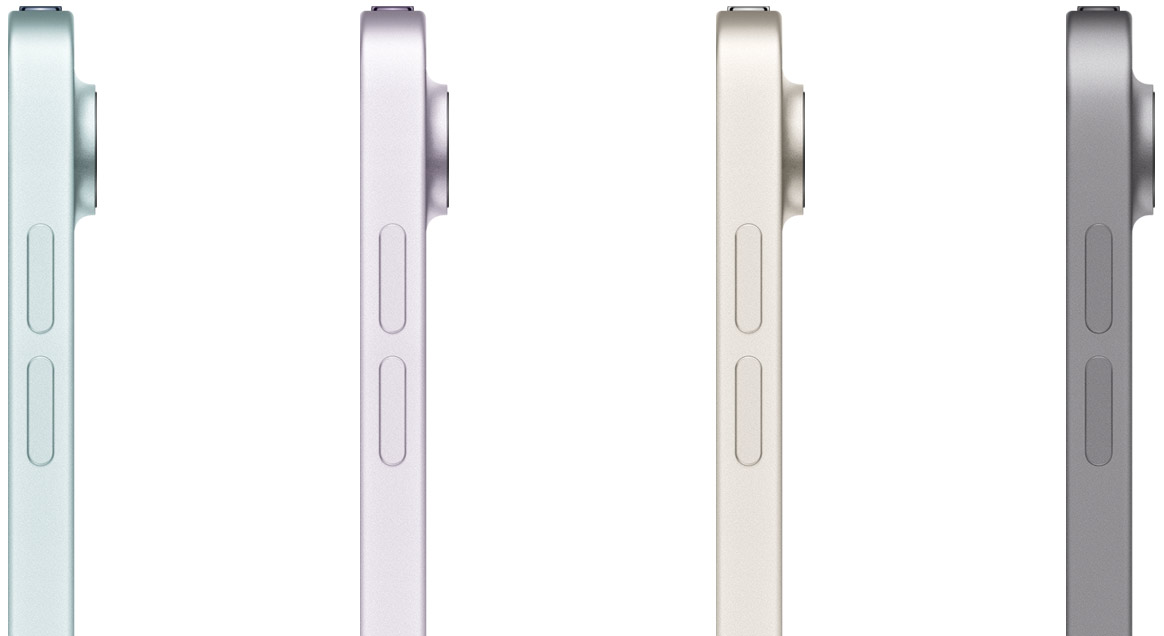
Apple's current family includes 11-inch and 13-inch sizes. This review considers their documented differences while treating the 11-inch model as the portable starting point. We have not measured the display, performance or battery. The research question is whether the Air provides a useful middle ground for someone who wants more creative and productivity scope than a basic tablet, without assuming the most expensive tablet is necessary. Its ownership proposition depends as much on accessories and software habits as on the processor.
Choose the size with your hands, not a comparison chart
Apple lists laminated IPS displays, with different brightness specifications for the two sizes. The larger Air provides more room for an annotated page or a drawing canvas; the smaller one should be easier to accommodate in a bag and use in a confined seat. Those are expected trade-offs, not measurements of comfort. Try holding the intended size with a case attached, and consider whether it will usually be supported on a desk, a stand or one hand.
Text scaling and document layout matter. A larger diagonal is useful if it makes the page readable without constant adjustment, but a screen that is too cumbersome may remain at home when it was meant to travel. For creative work, ask how much space remains after toolbars and reference material are visible. We would examine ordinary reading and drawing sessions before claiming a particular size is comfortable for everyone. The specification sheet is a starting point for that decision, not a substitute for the physical experience.
M4 capability needs the right applications
The documented M4 configuration brings an 8-core CPU, a 9-core GPU and 12 GB of unified memory. These establish the platform's hardware arrangement, rather than a benchmark result. To judge usefulness, identify what the application can actually do on the tablet: the available export formats, project size limits, plug-in support and whether it can hand a project back to a desktop application without losing work. A desktop-class chip does not make every mobile application a desktop-class workflow.
There is a good way to test a proposed replacement. Take an ordinary week of work and list every step that needs to happen, including signing a document, moving a folder and sharing a file with someone using another platform. Try those steps before disposing of the existing computer. If a repeated workaround is needed, count its time and complexity as part of the purchase. A tablet can still be an excellent companion even when it cannot take over every task. The best verdict distinguishes those roles clearly.
Pencil and keyboard costs change the purchase
Apple documents compatibility with Pencil Pro and the USB-C Apple Pencil. Check the exact accessory rather than assuming a stylus from an older iPad will work. A drawing-oriented buyer should investigate the controls and charging arrangement they want, while someone who only annotates occasional PDFs may need less. The important point is to budget for the complete setup. The tablet alone is not the cost of a drawing station or a keyboard-based travel computer.
A keyboard can make writing easier, but it also changes weight, balance and how the screen is supported. Try the arrangement where it will be used: a desk, an aircraft tray or a lap. A combination that feels secure on a showroom counter may be less convenient in motion. We would compare the complete tablet-and-keyboard package with a laptop at a similar total price. Accessories should solve a recurring need, rather than accumulate because each one promises to turn the tablet into another kind of device.
Storage and files require an explicit routine
Choose storage around local working material, not merely the amount of cloud space already purchased. Offline documents, reference images, downloaded video and creative project files can occupy a tablet quickly. A cloud service can simplify synchronisation, but it may not make every file available during travel or behave identically across applications. Keep a small set of important documents available locally and confirm they open without a connection before leaving home.
External storage introduces its own workflow. Check the drive, cable, power needs and application access before relying on it for a large project. A successful file copy does not demonstrate that an application can edit the project directly or export it in the desired format. Backups should remain separate from the only working copy. For a student or creator, losing a project is a greater ownership problem than waiting a few seconds longer for an export. Our evaluation would therefore include recovery and transfer, not just the speed of opening a demonstration file.
Connectivity and cameras serve practical jobs
The cellular option should be chosen around actual time away from trusted networks. Check the current carrier arrangement and total recurring cost in Canada or the US. It can be convenient to have independent connectivity, while a buyer who nearly always works beside a phone may prefer a simpler arrangement. Neither is automatically the better choice. Consider battery use, reliability and how often a second connection would prevent a real interruption.
Apple lists a landscape-oriented front camera and a rear camera with video capability. These are useful for calls, document capture and occasional recording, but the tablet's physical size affects handling. A large screen helps inspect a page while being conspicuous to hold up for filming. We would test call framing and document capture under ordinary light before assigning a quality verdict. The camera belongs in the assessment as a tool for the tablet's likely work, rather than an excuse to compare it directly with a dedicated photographic device.

Battery, account setup and shared use
Published endurance needs to be read with its test conditions. A drawing session, a long video call and downloaded entertainment are different loads. Choose the charging routine around the way the tablet will be used and check the power supply against Apple's guidance. Someone using it for a full day of classes should consider where it can be charged between sessions and how convenient it is to carry the required equipment. We have no measured school-day endurance to report.
Set up accounts and permissions deliberately, particularly if the device will be shared within a household. Confirm how purchases, messages, photographs and restrictions behave before assuming everyone can use the tablet without exposing someone else's information. Notifications that are useful on a phone can become distracting on a reading or drawing device. Adjust them for the role the tablet is meant to play. A coherent setup can turn the Air into a focused companion; an indiscriminate copy of phone habits can make it another screen competing for attention.
A strong companion, with replacement claims to prove
The iPad Air M4 has a persuasive documented case for creative note-taking, media, reading and selected productivity work. Its suitability as the only computer is conditional on exact applications and file handling. Compare the complete accessory bundle and subscription costs against a laptop before making that leap. A larger Air may offer a better canvas, while a smaller one may be the version that is actually carried and used. The choice should follow those habits.
Our next assessment would follow complete projects through capture, annotation, export and backup, with the intended Pencil and keyboard attached. It would also check endurance and comfort during ordinary use. Until that work is done, the provisional Standpoint Score reflects capability and ownership fit rather than measured responsiveness or display quality. The most sensible reason to buy the Air is that a capable tablet adds something useful to your routine. The least convincing reason is a belief that a fast processor alone guarantees it can replace every other computer.
Sources & further reading.
These are the sources behind this research review. Manufacturer claims are not independent performance measurements. Community accounts, when cited, describe individual experiences.
Documentation reviewed: 9 October 2026. Product software and regional bundles can change. Corrections and editorial disclosures.