An editorial assessment of documented capabilities and ownership trade-offs. This is not a hands-on test result or a measurement of reliability.
Features & capability 30%7.9
The actively cooled M1 platform supports a defined compact-workstation role.
Compatibility & connectivity 20%7.3
Thunderbolt / USB 4 is useful, but port count and native display support are restricted.
Ownership & upkeep 20%6.8
Battery condition, installed memory and Touch Bar health add purchase considerations.
Setup & everyday use 15%7.7
Familiar keyboard and trackpad coexist with a Touch Bar that will not suit every workflow.
Documentation & support clarity 15%8.8
Apple explicitly documents display support, configurations and cooling in its launch material.
Compare scores within the same product category. Small decimal differences should not override your needs or the evidence limits.
How the Standpoint Score works
We score five aspects of the documented product on a 0–10 scale, then calculate a weighted total:
- Features & capability30% of the total
- Compatibility & connectivity20% of the total
- Ownership & upkeep20% of the total
- Setup & everyday use15% of the total
- Documentation & support clarity15% of the total
This product’s 7.7/10 is a provisional research assessment. It does not claim measured performance, tested reliability or a verified customer satisfaction rate. Compare it with products in the same category, and read each criterion’s reasoning above.
Read the full rubric and score bands ↗The ownership case.
Worth considering for a compatible workload that benefits from the actively cooled M1 design, provided the Touch Bar and limited desk connectivity suit the owner. Compare closely with both the M1 Air and 14-inch Pro.
Reasons to consider it
- Active cooling distinguishes it from the M1 Air
- Compact conventional laptop format
- Useful M1 application platform where compatible
Go in knowing
- One native external display despite the Pro name
- Touch Bar is a preference and another part to inspect
- Two USB-C ports also handle charging
The specification sheet.
Published specifications from the linked sources. Configurations and availability can differ by country.
- Processor
- M1; eight-core CPU and eight-core GPU
- Display
- 13.3-inch IPS; 2560 × 1600; 500 nits specified
- Memory
- 8 or 16 GB unified memory
- Storage
- 256 GB to 2 TB SSD configurations
- Ports
- Two Thunderbolt / USB 4 ports; headphone jack
- Native external display
- One, up to 6K at 60 Hz
- Controls
- Magic Keyboard, Touch Bar and Touch ID
The Pro name needs to be translated into specifics
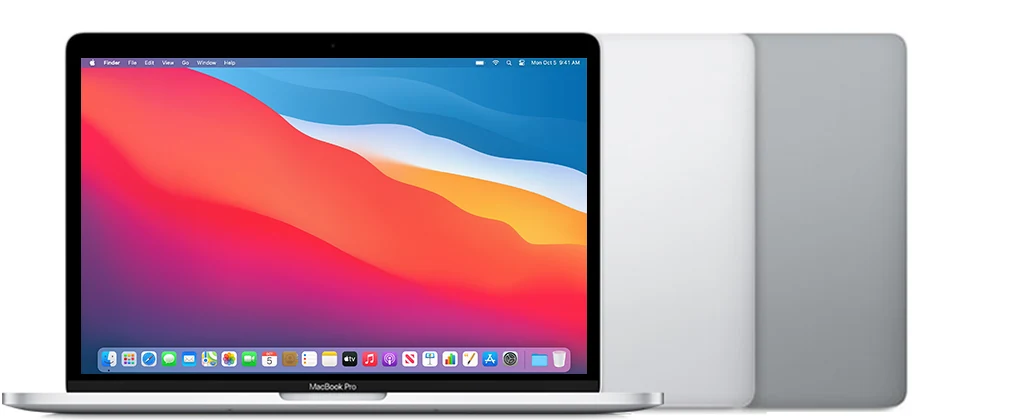
The 13-inch M1 MacBook Pro occupies a particular place among older Macs. It uses the M1 platform in a compact body with active cooling and a Touch Bar, while retaining a limited number of connections. That is a different proposition from the later 14-inch Pro, even though both listings may be summarized casually as an Apple-silicon MacBook Pro. Identify the exact size, year and processor before comparing prices.
The sensible buying question is what this version adds to the M1 Air for the intended work. A defined sustained task may justify investigating the cooling arrangement. A user who mainly writes and browses may find the Air's simpler format more appealing. This review evaluates documented design choices and ownership implications, without claiming measured export speed, acoustic results or the condition of a seller's refurbished machine.
Active cooling should be matched to actual work
Apple describes an active cooling system in the M1 13-inch Pro. That gives it a different thermal design from the fanless Air, but the presence of a fan alone does not establish the benefit for every application. A brief task, a long export and a repeated compilation workload can place different demands on the computer. Test the work that actually motivates the purchase rather than relying on a generic performance label.
During a used inspection, listen for abnormal mechanical noise and check that the machine remains stable through a representative session. Do not infer a defect merely because a cooling system operates; investigate unexpected behavior in context. We have not measured temperatures or sustained throughput. The provisional assessment recognizes the design's purpose while leaving the size of any practical advantage to application-specific evidence, not a assumption derived from the word Pro.
The Touch Bar is a usability decision
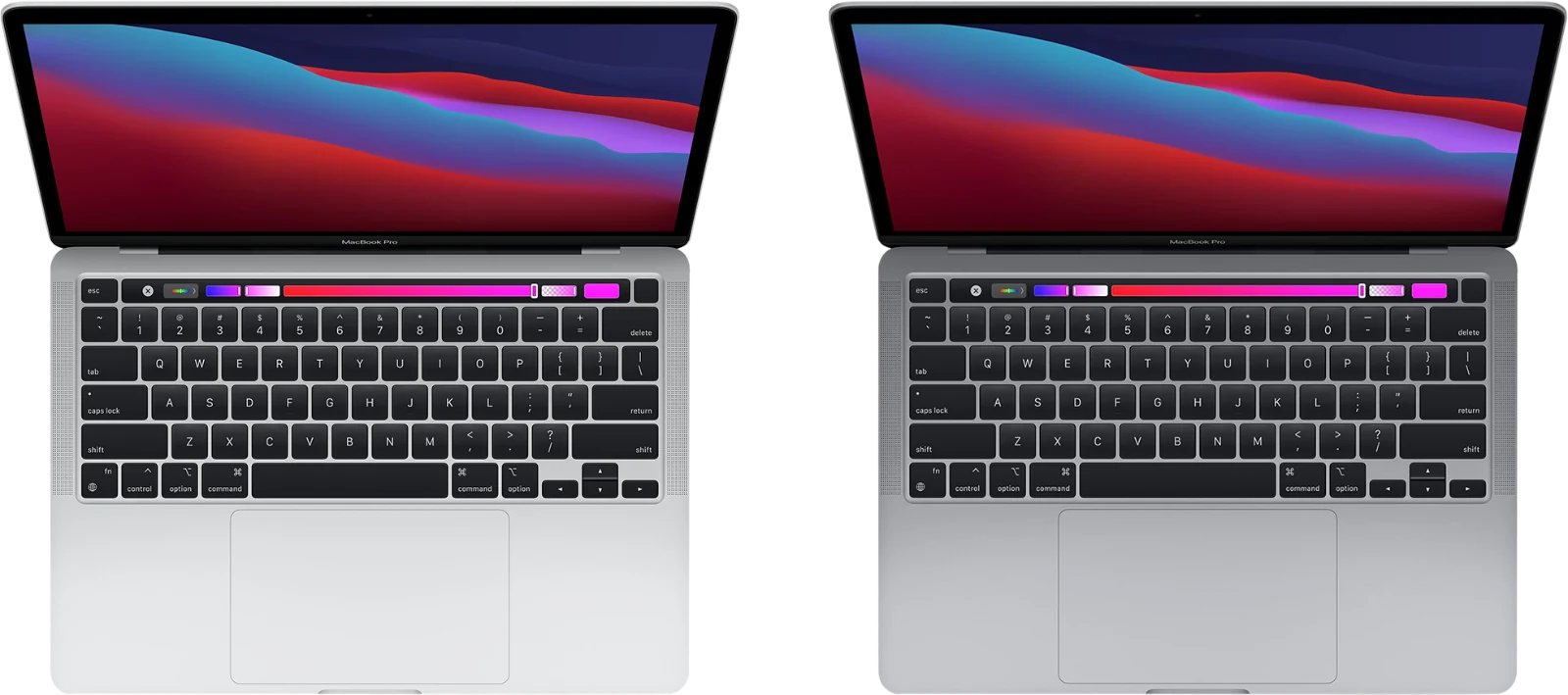
The Touch Bar distinguishes the control surface from a conventional row of physical function keys. It may fit a user's habits or feel like an unnecessary intermediary. Try the shortcuts used in daily work, including volume, brightness and application-specific commands. Someone who relies heavily on tactile function keys should resolve that preference before choosing the laptop, rather than hoping familiarity will eventually remove the annoyance.
On a used machine, inspect the entire strip for consistent display and touch behavior. Test the keyboard separately, including every key and common shortcuts, then check Touch ID. These are different functions even when they occupy the same small area. Ask about repairs and signs of liquid exposure. A computer bought to support productive work should not require accepting a damaged input component simply because the processor and main screen still operate.
The native display limit is easy to overlook
Apple specifies one native external display, up to the stated 6K and 60 Hz limit. The Pro name does not imply the multi-monitor flexibility of later M1 Pro or M1 Max models. This is an important distinction for a buyer planning a desk with two external screens. Count the displays needed and verify the connection method before purchasing either the laptop or a dock.
An accessory with several video ports cannot, by itself, change the computer's native display capability. Separate software-based display systems introduce their own compatibility and usability questions and should be researched as a distinct solution. For an ordinary single-monitor desk, test the intended display, cable and power arrangement together. The best outcome is a setup that reconnects reliably and fits the daily work, not a collection of adapters bought on an assumption about the badge.
Memory and storage define the individual listing
The 8 and 16 GB memory configurations are meaningfully different purchase options. Consider the complete working set, including browser services, background tools and any creative applications used simultaneously. A computer capable of opening an application is not automatically comfortable with the actual project size. Treat the installed memory as something to choose correctly now rather than relying on an unspecified future upgrade.
Storage also needs room for applications, local files and working space. A production-oriented use case can consume capacity quickly through caches and intermediate exports. Decide what will stay internal and what can live on an external drive, then include backup equipment in the budget. The most attractive used configuration is the one that supports the work without repeated rearrangement. A cheap low-capacity example can cost time every week even when its initial purchase looks economical.
Two ports require a complete connection plan
Both Thunderbolt / USB 4 ports are useful, but there are only two and charging can occupy one. A display, storage device, audio interface and power supply should therefore be considered together. Check any dock's specifications and test the exact combination. A successful connection with one peripheral is not enough to establish that a whole editing or office setup behaves properly.
Inspect each port for a stable connection and verify data transfer as well as charging. Check the headphone jack if wired audio matters. Include the appropriate power adapter and cable in the price comparison, particularly when buying a bare computer. Port limitations are manageable when planned, but frustrating when discovered after a purchase. The smaller Pro is best understood as a compact computer with a deliberate accessory arrangement, not an unlimited workstation hidden behind two sockets.
Screen, meetings and battery condition matter daily
The 13.3-inch display should be checked with documents and neutral backgrounds, not just a colourful desktop. Inspect for bright marks, dead pixels and uneven illumination, and make sure the hinge holds its position comfortably. The documented camera is 720p, so a meeting-heavy buyer should try the actual conferencing workflow and consider lighting, microphones and framing together. A resolution label alone cannot predict the quality of a complete call.
Ask about battery condition and service history, then test the computer through an ordinary session away from the adapter where practical. Original manufacturer duration claims are not evidence about a used battery. Confirm proper account removal, organizational-management release and normal setup. Current application and peripheral requirements should be checked before migration, including any specialist plug-ins. A clean, usable transfer is part of the product being purchased, not an administrative issue to postpone.
Choose it for the particular compact-Pro balance
The 13-inch M1 Pro can be a good fit when the buyer wants its actively cooled platform, accepts the Touch Bar and needs only the documented external-display arrangement. It is less compelling when the price approaches a more suitable 14-inch Pro or when an M1 Air would cover the same ordinary tasks more simply. Compare configurations and condition, not only product-family names.
Our research verdict remains conditional on a healthy keyboard, Touch Bar, battery and ports. We would test the actual sustained workload and complete desk setup before depending on the computer for important work. No measured performance ranking is implied by the score. The model is most convincing when its specific advantages are useful and its restrictions are already accounted for, leaving the owner with a predictable tool rather than a series of discoveries about what Pro does not necessarily mean.
Sources & further reading.
These are the sources behind this research review. Manufacturer claims are not independent performance measurements. Community accounts, when cited, describe individual experiences.
- MacBook Pro (13-inch, M1, 2020) - Tech Specs - Apple Support ↗manufacturer
- Apple's M1 Mac announcement — actively cooled 13-inch Pro ↗manufacturer
Documentation reviewed: 9 October 2026. Product software and regional bundles can change. Corrections and editorial disclosures.