An editorial assessment of documented capabilities and ownership trade-offs. This is not a hands-on test result or a measurement of reliability.
Task capability 30%9.0
Mapping, structured activity tools and multisport support form a deep training platform.
Control & connectivity 20%8.6
Physical buttons and touch suit varied activity conditions; connected calling remains phone dependent.
Ownership & upkeep 20%8.2
Mode-specific endurance is useful, but music and intensive positioning sharply reduce the headline duration.
Setup & usability 15%7.6
Rich customisation and optional sensors require more preparation than a simple tracker.
Documentation & support clarity 15%9.2
The extensive manual explains controls, maps, accessory dependencies and battery modes in practical detail.
Compare scores within the same product category. Small decimal differences should not override your needs or the evidence limits.
How the Standpoint Score works
We score five aspects of the documented product on a 0–10 scale, then calculate a weighted total:
- Task capability30% of the total
- Control & connectivity20% of the total
- Ownership & upkeep20% of the total
- Setup & usability15% of the total
- Documentation & support clarity15% of the total
This product’s 8.6/10 is a provisional research assessment. It does not claim measured performance, tested reliability or a verified customer satisfaction rate. Compare it with products in the same category, and read each criterion’s reasoning above.
Read the full rubric and score bands ↗The ownership case.
Forerunner 970 is a strong documented fit for runners who will use mapping and structured training; its accessory-dependent metrics and substantial setup depth should be counted in the decision.
Reasons to consider it
- Built-in maps and route tools
- Five-button operation alongside touch
- Detailed owner manual and mode-specific battery table
Go in knowing
- Selected advanced running metrics require HRM 600 accessory
- Phone calling uses a paired compatible smartphone
- Learning and configuring the training system takes time
The specification sheet.
Published specifications from the linked sources. Configurations and availability can differ by country.
- Case
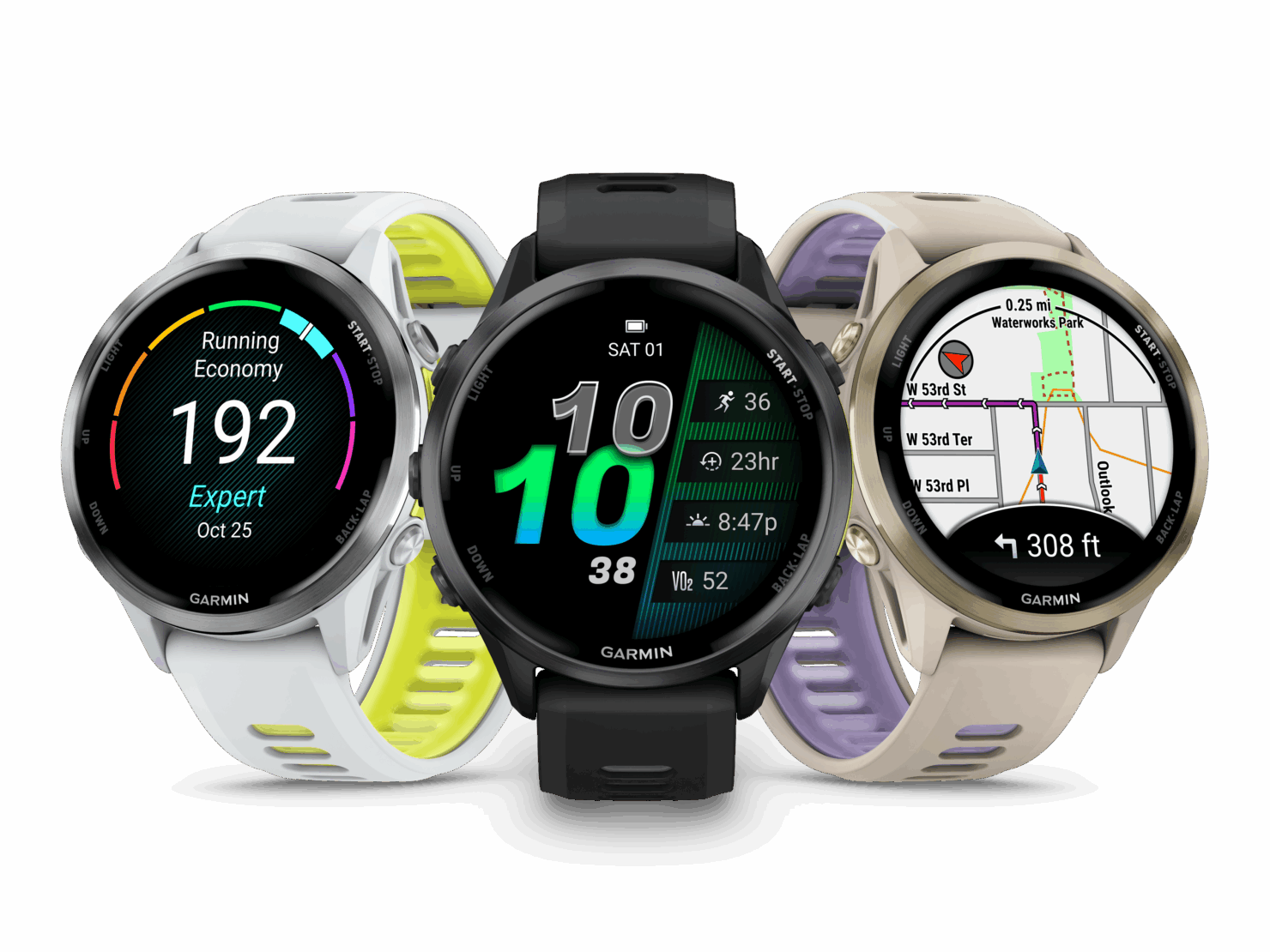
- 47 mm; sapphire lens and titanium bezel
- Mapping
- Built-in colour maps; course and round-trip routing
- Advertised battery
- Up to 15 days smartwatch; 26 hours GPS-only
- Music and multiband mode
- Up to 12 hours with all-systems multiband GNSS and music
- Water rating
- 5 ATM, swim rated
A training tool with a clear reason for its complexity
Forerunner 970 makes sense when the watch is part of a repeatable training routine rather than an occasional record of a walk. Its attraction is the relationship between courses, workout screens, activity history and planning. The buyer should be able to name the information they will act on after a session. Otherwise, a dense collection of metrics can become an expensive set of numbers that receives a quick glance before the next run.
Garmin places the 970 in a 47 mm case with sapphire glass and a titanium bezel. Those materials are appealing for frequent outdoor wear, but dimensions and wrist fit matter more than a premium-material label. Try it with sleeves and with the strap tightened to the appropriate exercise fit. A watch that moves comfortably during ordinary use may behave differently on a small wrist during intervals or while sleeping.
Maps are a functional upgrade, if you prepare them
Built-in colour mapping is one of the 970's substantial differentiators. Garmin describes course transfer and dynamic round-trip routing, so the watch can do more than display an isolated breadcrumb line. The practical benefit is strongest for people who regularly run or ride unfamiliar routes. It is less decisive for an owner who repeats one local loop and already knows every junction by sight.
Map ownership still involves preparation. Confirm the required region is present, inspect a planned course and learn to distinguish a route instruction from the surrounding map before leaving. A wrist screen is useful for a prompt or a quick positional check; it is not an excuse to stop considering terrain, access restrictions or changing conditions. Our hands-on test would include ambiguous junctions, off-course recovery and route readability under movement, rather than scoring the map solely by how attractive it looks indoors.
Physical controls reward a little rehearsal
Garmin's manual describes five buttons alongside a touchscreen and lets the user tailor touch behaviour for activities. This is valuable because an exercise interface must work when precise tapping is inconvenient. The layout is worth learning deliberately: starting, pausing, marking a lap and saving are different actions, and confusing them at a finish line is frustrating regardless of sensor capability.
Create a short practice activity and work through the full sequence before an event. Set up only the data fields that deserve attention during that sport. A screen containing many values can force the wearer to search when one clear number would have been better. Button shortcuts and the LED flashlight also warrant rehearsal. The flashlight is a convenient utility for brief tasks; its existence does not establish that it replaces the lighting appropriate to an outdoor route.
Advanced running analysis comes with dependencies
The announcement identifies running economy and step speed loss as features requiring Garmin's HRM 600 accessory. That distinction belongs near the purchase decision, because a buyer could otherwise assume every advertised metric comes from the watch alone. Build a list of desired measurements and the hardware needed for each. Include the accessory's fit, charging and cleaning in the ownership routine instead of treating it as a frictionless checkbox.
More measurements also demand interpretation. A change in a derived training figure can invite useful investigation without prescribing a change in training by itself. We would want to see whether the wearer can understand what contributed to a metric, recognise missing input and compare like activities over time. This review does not assess physiological accuracy, prescribe workouts or validate the prediction of race outcomes. The documented depth earns credit for capability, with uncertainty remaining around how useful that depth will be to an individual athlete.
Battery modes change the trip you can plan
The official manual lists up to 15 days in smartwatch mode and up to 26 hours with GPS-only positioning. Its figure falls to up to 12 hours when all-systems multiband positioning and music are combined. Those are materially different use cases. Quoting only the longest number would hide the configuration that may matter most to a runner who always uses headphones and a more demanding positioning mode.
Plan around the intended recording settings and leave a reserve. A long event, a delayed start and a journey home can extend the time away from a charger. Check battery consumption during comparable training sessions instead of extrapolating from sedentary weekdays. Downloading maps and music also deserves attention before departure. The watch is easier to trust as a tool when its owner knows which features are active and what those settings did to endurance in their own routine.
Smartwatch conveniences retain a phone relationship
The 970 includes a microphone and speaker, with calling through a paired compatible phone. This adds convenience when the phone is nearby but awkward to reach. It should not be interpreted as independent cellular service. Similarly, review the documented requirements for assistance, sharing and connected messaging before assuming the watch can provide a particular connection in a remote setting.
Garmin Connect and the watch menus offer considerable scope for customisation. Account, notification and sharing choices deserve an intentional setup session. Decide whether activities should be shared, what route information is included and which connected services can receive it. A route beginning at home reveals more than a finishing time. Test the features wanted for a typical outing, then remove unnecessary alerts that compete with the activity display.
Upkeep includes the sensor system around the watch
The physical maintenance task is modest compared with a household robot, but consistency still matters. Follow Garmin's cleaning and charging-contact guidance, especially after sweat and water exposure. Check the strap attachment before a demanding session and identify the correct replacement cable before a trip. A proprietary charging connection is easy to overlook until the owner packs a bag full of USB cables that cannot attach to the watch.
Budget for the actual system: the watch, any selected chest sensor, spare charging access and optional digital services. Garmin's current manual distinguishes some subscription functions from the underlying watch features, so compare the desired workflow with the applicable plan rather than assuming every future app feature is included. A buyer who already owns suitable accessories may reach a different value judgement from someone assembling the entire training setup for the first time.
Who should pay for the 970's depth
The compelling buyer uses maps, values button operation and is prepared to organise structured activities. For that owner, the 970's complexity can be productive. Someone seeking a discreet step and sleep record should look at a smaller tracker, while an owner prioritising phone apps and messaging should compare general-purpose smartwatches. The most expensive sports model is not automatically the most comfortable or simplest everyday wearable.
We would follow this research with route comparisons, wet-hand control checks, long-session endurance records and a study of how much setup survives into actual use. There is no hands-on evidence here to rank its heart-rate sensor or GPS precision against rivals. The provisional score instead recognises an unusually complete documented training and navigation package, supported by a detailed manual, while deducting for the learning effort and accessory requirements that accompany its specialised features.
Sources & further reading.
These are the sources behind this research review. Manufacturer claims are not independent performance measurements. Community accounts, when cited, describe individual experiences.
- Forerunner 970 — official US product page ↗manufacturer
- Forerunner 570 and 970 — Garmin feature announcement ↗manufacturer
- Forerunner 970 — owner manual ↗manual
Documentation reviewed: 9 October 2026. Product software and regional bundles can change. Corrections and editorial disclosures.