An editorial assessment of documented capabilities and ownership trade-offs. This is not a hands-on test result or a measurement of reliability.
Task capability 30%8.4
Offline maps and extensive sport functions create a broad documented fitness toolkit.
Control & connectivity 20%7.9
Cross-platform phone support is useful, but replies and integrations have platform-specific restrictions.
Ownership & upkeep 20%8.7
Separate typical, heavy-use and GPS endurance claims support planning; real endurance remains untested.
Setup & usability 15%7.9
The large display is promising for legibility, while Zepp configuration and map preparation add work.
Documentation & support clarity 15%7.8
Useful model-specific guides explain settings and charging, but current storefront and product-manual diving descriptions differ.
Compare scores within the same product category. Small decimal differences should not override your needs or the evidence limits.
How the Standpoint Score works
We score five aspects of the documented product on a 0–10 scale, then calculate a weighted total:
- Task capability30% of the total
- Control & connectivity20% of the total
- Ownership & upkeep20% of the total
- Setup & usability15% of the total
- Documentation & support clarity15% of the total
This product’s 8.2/10 is a provisional research assessment. It does not claim measured performance, tested reliability or a verified customer satisfaction rate. Compare it with products in the same category, and read each criterion’s reasoning above.
Read the full rubric and score bands ↗The ownership case.
Balance 2 has an attractive documented mix for multisport users who value map access and infrequent charging, but phone-platform differences and the exact depth of its training tools warrant a trial.
Reasons to consider it
- Offline maps and broad multisport functions
- Distinct battery claims for typical, heavy and GPS use
- Workout and recovery data advertised without required subscription
Go in knowing
- Large case will not suit every wrist
- Message reply functions differ between iOS and Android
- App ecosystem and route workflow need individual verification
The specification sheet.
Published specifications from the linked sources. Configurations and availability can differ by country.
- Body
- 47.4 mm diameter; 43 g without strap
- Display
- 1.5-inch AMOLED under sapphire glass
- Advertised battery
- Up to 21 days typical; 10 days heavy use
- Advertised GPS endurance
- Up to 33 hours in accurate GPS mode
- Companion platform
- Zepp app on compatible Android or iOS
- Water rating
- 10 ATM; activity-specific limits apply
A large fitness watch with a different priority order
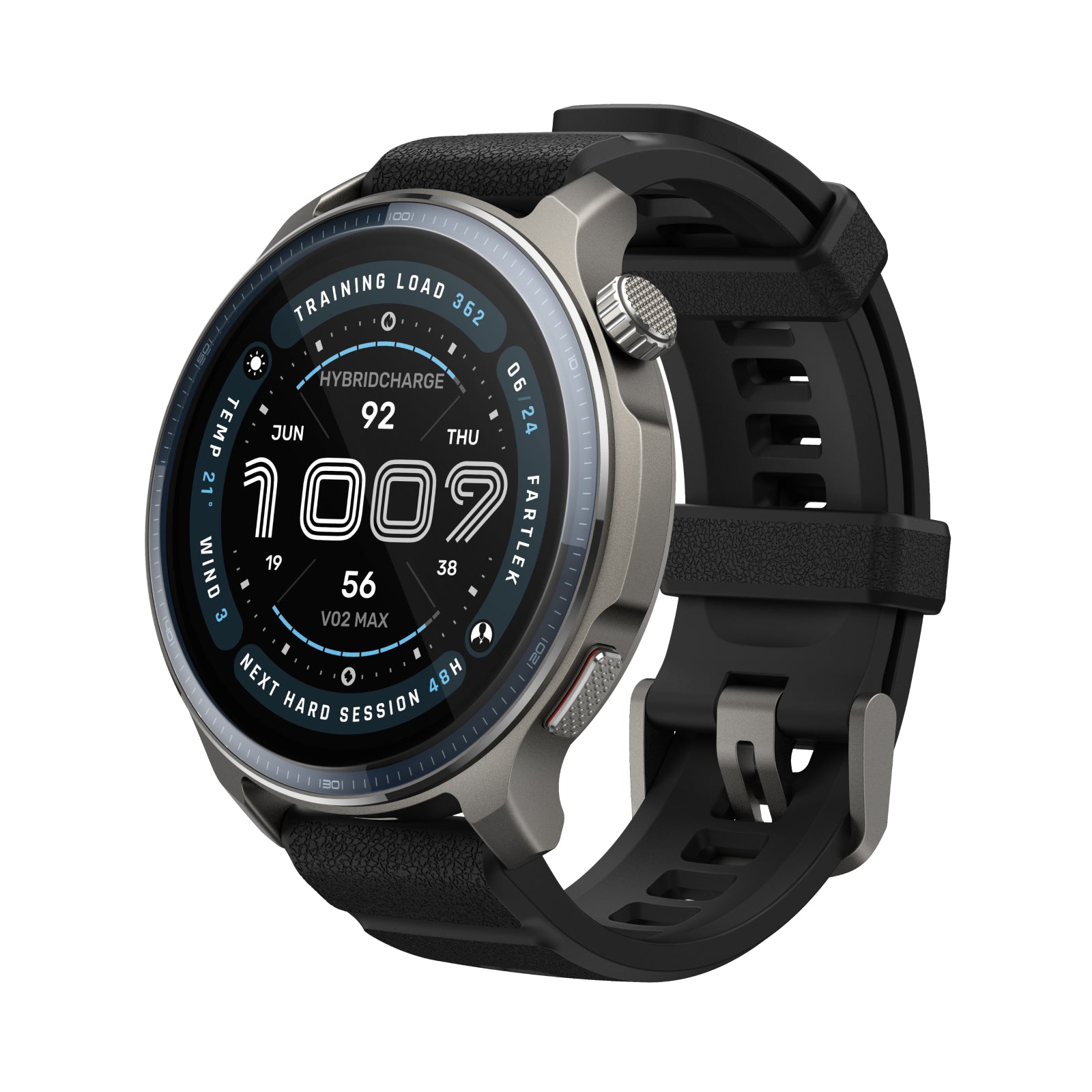
Balance 2 leads with a combination that will appeal to people tired of charging a smartwatch every day: a substantial display, broad sports support and long advertised endurance. The important question is whether those strengths fit the user's actual activities and phone habits. A watch can be excellent at recording a session yet less suitable for someone whose main requirement is a particular messaging or payment workflow.
The US specification lists a 47.4 mm body and a 1.5-inch AMOLED display under sapphire glass. This is a relatively large object to wear throughout the day and overnight. Try it with ordinary sleeves and on the wrist position used for exercise. Its size can make maps and data easier to inspect, but that advantage is only useful if the owner finds the watch comfortable enough to keep wearing.
Treat the battery table as several different products
Amazfit publishes up to 21 days for typical use, up to 10 for heavy use and up to 33 hours in accurate GPS mode. Those figures describe different workloads. A buyer who exercises with positioning frequently should not expect the normal-use headline to predict the charging interval. Similarly, a mostly sedentary week says little about endurance during a long outdoor event.
Choose settings that reflect the reason for buying the watch and observe the resulting battery routine. Keep a record through an ordinary mix of workouts, overnight wear and notifications. The strongest benefit of a long battery interval is reduced disruption, not winning a single maximum-duration experiment with useful functions disabled. Even a watch charged infrequently needs a predictable place for its charging head, particularly when packing for travel after weeks of not thinking about it.
Offline maps require work before they become useful
The current product page lists downloadable offline maps and route-related tools. That can be valuable for someone who regularly visits unfamiliar routes, golf courses or outdoor areas. The presence of a map should still be evaluated through the complete process: selecting the area, transferring it, confirming the required detail and understanding the display during activity. An attractive promotional map is the beginning of that assessment, not its conclusion.
Prepare a familiar route first and see how the watch presents an approaching turn and a deliberate deviation. Check the map coverage needed for a trip before leaving a dependable connection. A route tool does not establish that a path is open or suitable in the conditions encountered. Our review has not tested track accuracy, rerouting behaviour or map completeness. Those would be central to a follow-up for buyers making navigation the deciding feature.
A long sports list is less important than one good workflow
Balance 2 advertises more than 180 sport modes, including specialised training options. The quantity is less informative than whether the three activities the owner repeats most often have useful controls, appropriate fields and a readable history. A person alternating running and strength sessions should examine those exact modes rather than assuming breadth guarantees equally deep support everywhere.
Set up one session from start to finish: select it, adjust the relevant screens, record it, correct any applicable entries and inspect the result in Zepp. Consider how interruptions are handled and whether the watch makes the next action obvious. Automated training or recovery summaries can be interesting, but they should explain the input they use. This review credits documented tools without claiming that the watch's physiological estimates or suggested plans have been independently validated by us.
Zepp compatibility has several layers
The official manual describes setup through the Zepp app on supported iOS and Android phones. That is useful flexibility, especially for someone who may change phone brands later. It does not imply identical functions on both operating systems. The US page identifies Android-specific message replies, so an iPhone owner should check the exact interaction they expect rather than extrapolating from a demonstration filmed with another phone.
Bluetooth calling also retains a relationship with the phone. Review the required permissions and test a call in the environment where the feature would actually be used. A clear indoor demonstration does not establish microphone quality beside traffic or in wind. For many owners, reliable notifications and a quick glance at caller identity will be more important than conducting a full conversation through the watch. Configure those basics before spending time on optional shortcuts.
Music, notifications and background permissions
Amazfit's model-specific music guide explains that phone playback controls require an active connection, background Zepp operation and notification-reading permission. That is a useful reminder that some seemingly simple wrist actions depend on several phone settings. Battery-management software or a permission change can affect the experience even when the watch hardware is functioning normally.
After setup, test the controls again with the phone locked and after an ordinary period of inactivity. Decide which notifications genuinely belong on the wrist, and avoid adding every available alert simply because it is supported. The large display can become a busy interruption surface as easily as an informative one. If a particular app integration is essential, confirm it in current regional documentation and test the data transfer instead of treating general iOS or Android compatibility as sufficient proof.
Overnight use and the limits of wellness summaries
The support guide describes sleep information on the watch and in Zepp, with optional monitoring settings that change what is collected. For a wearer who wants an overnight record, comfort and consistent use are the first practical tests. A watch with generous battery reserve can still produce an incomplete history if its size makes the owner remove it during the night.
Look for explanations of missing data and distinguish trend summaries from definitive health conclusions. We have not assessed the accuracy of sleep-stage classifications, oxygen readings or recovery estimates. The useful editorial question is whether the information is presented clearly enough for the owner to understand its limits. A weekly view that supports reflection on a routine can be more constructive than reacting to every isolated low score as though it required an immediate change.
Running costs, care and the final comparison
The US storefront advertises workout and recovery data without a required subscription. That strengthens the ownership proposition, while leaving a need to check any optional service selected in the app separately. Compare the functions actually wanted after promotional offers and optional extras are removed. Do not infer that every connected service, third-party integration or future app feature is included indefinitely from a broad no-subscription statement.
The product manual identifies a charging puck and a built-in battery. Follow its contact-care and charging instructions, and keep the correct charging head with travel equipment. The sapphire face and water rating do not make the watch immune to damage or suitable for every water activity. A buyer of used hardware should ask about battery behaviour and prior exposure instead of assessing only scratches on the display.
Water-sport buyers face a specific documentation issue: the current US storefront mentions recreational scuba, while the linked product manual describes recreational freediving. Those are different uses. We would require a current, model-specific explanation from Amazfit of the supported activity, software and operating limits before evaluating that function. This review does not resolve the discrepancy by assuming the broader claim is the permitted use.
Balance 2 deserves consideration for someone who wants maps, varied activity modes and reduced charging frequency without committing to one phone brand. A smaller band may better suit discreet overnight wear, while a more specialised sports platform may better match an established training system. Our next work would measure real endurance, inspect route handling and compare the Android and iPhone workflows. Until then, the provisional score reflects a promising documented package with several important usability questions still open.
Sources & further reading.
These are the sources behind this research review. Manufacturer claims are not independent performance measurements. Community accounts, when cited, describe individual experiences.
- Balance 2 — official US product specifications ↗manufacturer
- Balance 2 — official user guide directory ↗support
- Balance 2 — product manual and charging requirements ↗manual
- Balance 2 — music controls and phone permissions ↗support
- Balance 2 — sleep settings explained ↗support
Documentation reviewed: 9 October 2026. Product software and regional bundles can change. Corrections and editorial disclosures.